• Skip to primary navigation
  • Skip to main content
  • Skip to primary sidebar
  • Skip to footer

UTECHPIA

UTECHPIA

  • Electronics
  • Developer’s Resources
  • All My Gear
  • Deals!
    • Electronics
    • Toys & Games
    • Bed & Bath
    • Health & Wellness

TRANSFORMATION! Liquid Adhesive! Apple Watch Series 5! Review & How To Install WhiteStone Dome Glass

Hi Guys!  I hope you’re doing well!  Thank you for clicking on this video!  My name is David, and Welcome to UTECHPIA!

I just got the brand new Apple Watch Series 5, Nike Plus Edition, in the 44mm screen size.

Yep!  This is an awesome watch and I LOVE this thing! 

So, naturally, I wanted to protect the screen without any compromises!  I want the vibrant colors, the brightness, the sharpness, and the touch sensitivity to all be intact, with the screen protector installed. 

So, searching on Amazon, I found there are lots of screen protectors out there, but, honestly, I had a hard time finding the perfect one!   Some are plastic films, which feels rubbery and are prone to developing bubble underneath.  Some are made of glass, which is great, but they don’t cover the entire watch screen so they look terrible. 

I was really excited when I heard that WhiteStone also makes their famous Dome Glass for the Apple Watch!  I’ve been using the WhiteStone Dome Glass for all my phones and really love the quality of their tempered glass screen protectors.  The Apple Watch version of the Dome Glass  uses the exact same technology as found in their popular phone screen protector.  Which means it provides excellent protection without taking away from the brilliant device experience regarding the screen brightness, clarity, and touch sensitivity.  Also, if you ever need to take off the screen protector, it comes off easily without damaging your Apple Watch.   

This one works for the Apple Watch Series 4 as well as the Apple Watch Series 5.  WhiteStone makes the Dome Glass for the both the 44mm watch face as well as the 40mm watch face. 

They even have a Limited Lifetime Warranty, which means that if your Dome Glass ever gets damaged or get worn out, you could a request a replacement through WhiteStone’s website.  And they’ll take care of you, they are really good with customer service. 

The only downside to this awesome screen protector, is that the installation process, which takes about 10 to 15 minutes, especially if it’s your first time installing one of these!  But don’t worry, we’ll do the installation together and I’ll walk you through each step of the way! 

Here are two quick tips to get you started right off the bat!

The First tip is to make sure that you do the installation in a dust free environment, so watch out for windows and air vents that might blow dust onto your screen while you are doing the installation.  You definitely do not want that. 

And the second tip I have for you is that you can use a USB power bank to power the UV Curing Lamp.  That way you can do your installation anywhere you want without looking for an electrical outlet. 

Here’s what comes in the kit:

  1. UV Curing Lamp
  2. Micro USB cable for the UV Curing Lamp
  3. A detailed manual with step-by-step instructions
  4. Installation Manual for the Metal Bumper Case
  5. Alcohol wipes
  6. Cleaning Cloths
  7. Dust removal stickers
  8. Level Bar
  9. Absorption Pad
  10. You get not 1, but 2 Tempered Glass Screen Protectors! (This is perfect If you have two apple watches!)
  11. Metal Bumper case
  12. Two bottles of adhesive, you only need one, the second bottle is for backup incase you mess up and need to try again. 
  13. The Bottom Tray and the Top Tray.  Make sure you note how the top tray is oriented with the bottom tray.  Also note the arrows on the Top Tray, which indicates where on the watch screen you will be putting the liquid adhesive.
  14. The Bottom Tray, keep in mind how Top Tray is oriented in relation to the bottom try. 

Alright, let’s get started!

Step 1: Make sure you are on a leveled working surface.  I used the “measure” app on my iPhone, but you can also just roll a bottle of adhesive on the surface to make sure it is leveled. 

Step 2: Remove the watch strap and turn off the watch.

Step 3: Use the alcohol wipe to clean the screen, all the way to the edges. 

Step 4: Dry off the screen with the cleaning cloth. 

Step 5: Carefully place the watch into the Bottom Tray.

Step 6: Place the absorption pad into the Bottom Tray.

Step 7: Line up the Top Tray by matching up the fixed tape part of the Bottom Tray with the level bar insertion part of the top tray.  Press down on all 4 corners to make sure it’s seated all the way.

Step 8: Use the dust removal stickers to remove any visible dust on your screen.  Take your time, you want to make sure there are no visible specs of dust. 

Step 9: Insert the level bar into the fixed tape of the bottom tray.  Make sure it slides in all the way!

Step 10: Take your adhesive bottle, and unscrew the gray cap.  Don’t worry, the liquid adhesive wont come out, yet.  It’s locked in there until you unscrew the other end of the adhesive bottle.

Step 11: Hold the adhesive bottle vertically over the center of the watch, paying attention to the arrows on the top Tray.  Hold it very close to the screen so that the liquid adhesive won’t splash when you release it.  Now, carefully unscrew the black upper cap of the adhesive bottle and allow the liquid adhesive to pour out from the bottle onto the watch face.  

Step 12: Wait for the about 5 seconds for the liquid adhesive to finish pouring out, and then remove the bottle.

Step 13: Carefully remove the liner on the backside of the tempered glass screen protector.

Step 14: Starting from the bottom, which is furthest away from the fixed tape, place the glass onto the level bar.

Step 15: This is the most difficult step of the entire installation!  So watch this step several times to make you fully understand it, that way you can get it perfect on your first try.  Here’s what you got to do: Push down the bottom part of the bottom tray, and then once the liquid adhesive touches the tempered glass, immediately pull out the level bar and stop pushing on the Bottom Tray.  The reason why it’s difficult is you got do both actions at the same time.   So practice it before you do it on the actual installation. 

Step 16: Wait for 30 seconds as the adhesive to spread completely.  Make sure you do not touch the screen while the adhesive is spreading.

Step 17: Place the UV light over the watch and turn it on for 15 seconds.

Step 18: Remove the Top Tray and the absorption pad.  Use the hole at the bottom on the bottom tray to gently take the watch out of the tray.  Be super careful as the adhesive isn’t fully cured yet.

Step 19: Use the Alcohol wipe to clean any excess adhesive.  Be sure to wipe along the edges, but again, be gentle as the adhesive is not fully cured yet. 

Step 20: This is the final curing step, place the UV lamp over the watch and turn it on for 1 minute. 

Step 21: And That’s IT, you’re done! Just power on your Apple Watch and you’re good to go!

Now you can enjoy the perfectly installed WhiteStone Dome Glass screen protector on your Apple Watch. 

Everything looks amazing!  The screen is just as bright as before, the colors are vibrant and everything looks clear and sharp!  The screen feels smooth and responsive, just like touching the native Apple Watch Glass!

You can install the included bumper case for extra protection.  However, the case is a loose fit, so it rattles when the watch vibrates; which makes the watch sound like a toy.  [ bumper case vibrating ]….  Yet, without the bumper case, itis easy to see and feel and touch the edges of the screen protector, which I kinda not like.  So I’ve been going back and forth about using the bumper case. 

Since the bumper case is a loose fit, if you bump it just right, it falls off pretty easily.  And of course, the bumper case makes the watch look a tiny bit larger.

But if that’s not your thing, that’s totally fine: you can use the Dome Glass Screen Protector all by itself. 

But this review isn’t about the bumper case.. It’s about the Screen Protector; and I can confidently say that the Whitestone Dome Glass Screen protector is simply the best screen protector out there for any price for the Apple Watch Series 5 as well as the Apple Watch Series 4!

The Question I have for you guys is: do you use a screen protector on your Apple Watch?  If so, which one?

Alright guys, that’s the end of this video!  Let me know if you have any questions. And if you haven’t already done so, please consider subscribing to UTECHPIA!  Your support is always, always appreciated!  Thanks so much for watching!   And I’ll see you guys, next time!
Current favorite Hot Deals


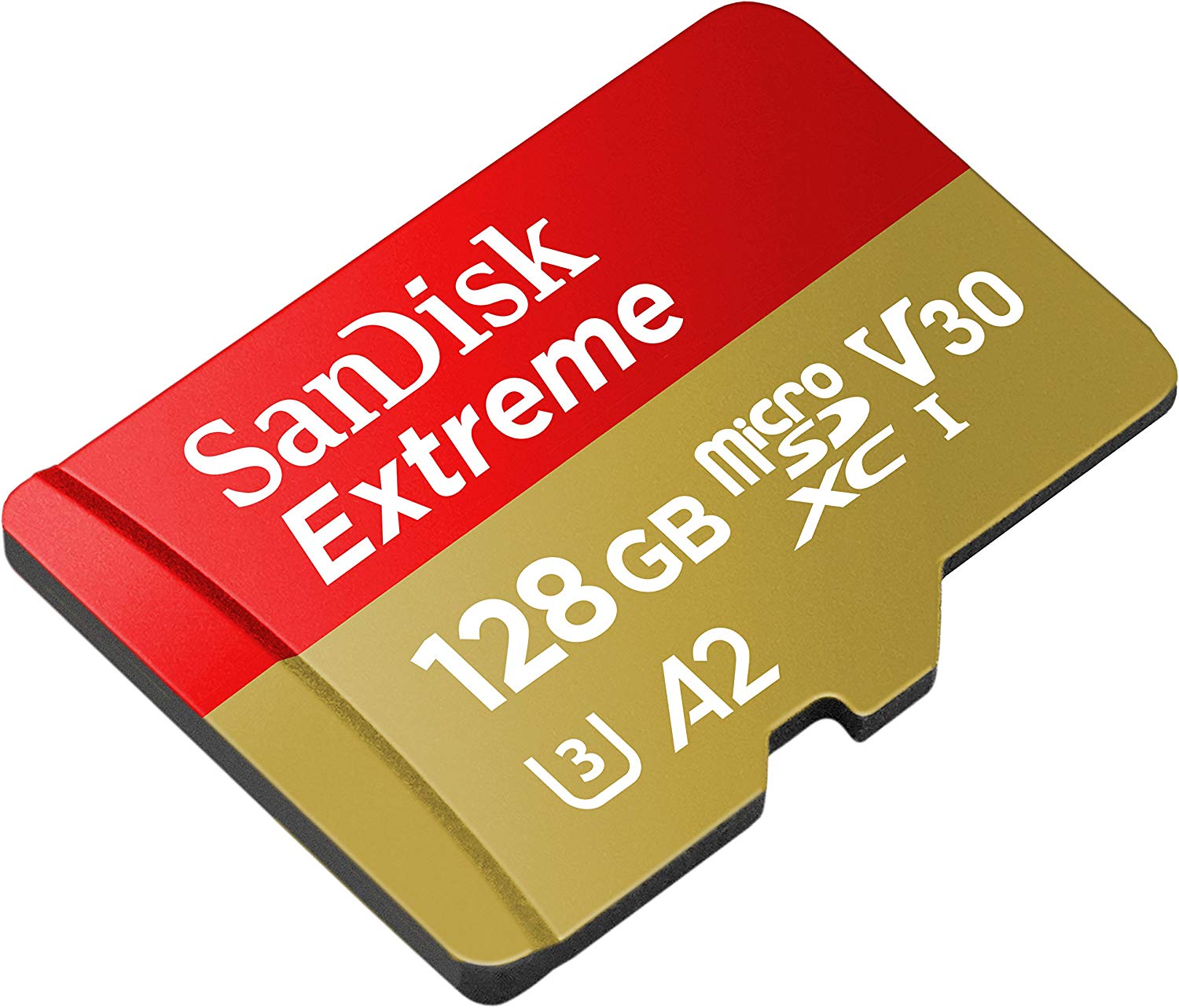
High Performance MicroSD card: https://amzn.to/2Thp0Dr

My favorite GoPro Accessories

Last updated January 27, 2019

My favorite GoPro Accessories:


Table Tripod, Manfrotto MTPIXI-B PIXI Mini Tripod: https://amzn.to/2R88MOV

GoPro Metal Tripod Mount: https://amzn.to/2RdWqoQ

Car Suction Mount: https://amzn.to/2BztRrJ

Double Car Suction Mount: https://amzn.to/2LqjF9N

MicroSD Card (U3 Speed), good deal is ~$20 for 128GB and about $45 for 256GB: https://amzn.to/2V5mtO2

MicroSD Card (V30 speed), this one is an overkill in speed, future proof: https://amzn.to/2Thp0Dr

GoPro Dual Battery Charger (with extra Battery): https://amzn.to/2Sd67AQ

GoPro Extra Battery: https://amzn.to/2Bs0CHs

Storage Case that I use: https://amzn.to/2BtHg4J

$100 OFF: GoPro Hero 7 Black! (Trade-in Deal)

Great the 128GB MicroSD Card Deal: https://amzn.to/2psJbRE

GoPro Hero 7 Back Trade-in Deal: https://shop.gopro.com/tradeup

Anyone looking to buy the new GoPro Hero 7 Black? I’m really thinking of getting it!

My situation is that I already have the GoPro Hero 6 Black as well as the GoPro Hero 5 Black. I love all of them! They are great for sports and any activities, like attaching to my car or on my Bike!

I’m perfectly happy with my current Hero 5 and Hero 6; however, I think the Hero 7 BLACK can still be a nice upgrade.

The image stabilization is really what’s interesting me. It’s REALLY good from what I can tell!

At $400, it’s probably NOT worth the upgrade, but at $300: I’m getting close to pulling the trigger.

The GoPro Hero 7 BLACK just got released yesterday, and right now there is already a sweet Trade-In deal where you can get one for $100 off. You can trade in basically any junk camera, like ones on craigslist for $5 (see details in the video).

There’s a lot of information about the Trade-up Program, the video above has all the information!

Hurry while the deal lasts.  “The Program is valid from September 20, 2018, at 6:00 a.m. PDT and will continue until GoPro terminates the program in its sole discretion.”

Hope you guys enjoy the video!

Here’s the full Terms & Condition from GoPro:

Terms + Conditions

The purpose of the GoPro TradeUp Program (“The Program”) is to offer and provide a trade-in option for eligible digital cameras with an original retail value of at least $99.99 USD, as determined by GoPro in its sole discretion (collectively “Eligible Used Devices”). The Program is valid from September 20, 2018, at 6:00 a.m. PDT and will continue until GoPro terminates the program in its sole discretion. Applies only to purchases of HERO7 Black or Fusion cameras (collectively “Eligible New Devices”) made on gopro.com and delivered in the United States. You are eligible for the discount shown during your checkout process. GoPro reserves the right to modify the trade-in value offered for Eligible Used Devices during special promotion windows and has no obligation to offer those price adjustments for purchases made outside of any promotional windows.

Upon completion of checkout for the Eligible New Devices, your payment method will be authorized and a prepaid shipping label will be sent to the email address provided. Your payment method will be charged the amount shown at checkout, and your Eligible New Devices will ship only after your Eligible Used Device is received by GoPro and determined to be a qualified digital camera. Your Eligible Used Device must be received by GoPro within 45 days of completing the checkout process. GoPro is unable to process the trade-in of multiple Eligible Used Devices in a single transaction. If you wish to trade in multiple Eligible Used Devices, you must check out each purchase in a separate transaction on gopro.com. In the event that your order contains multiple items, the additional items will be held until your Eligible New Device is shipped. GoPro reserves the right to cancel or deny any orders that do not meet the eligibility requirements.

You must be the owner of the used device—the Program is not valid on stolen property. Retailers may not participate in the Program by returning in-stock inventory. GoPro will determine authenticity at its sole discretion and ineligible devices may be returned at your expense. You must use the shipping label and follow the guidelines provided by GoPro and GoPro’s third-party shipping provider. GoPro will not be liable for any loss or damage to the used device while in transit. Once you have shipped the Eligible Used Device to GoPro, GoPro cannot guarantee its return to the you. You acknowledge that it is your responsibility to remove all personal data from your Eligible Used Device before shipping to GoPro, including removing any memory cards. GoPro is not responsible or liable for the removal of your personal data or memory cards and any memory card(s) sent to GoPro within your Eligible Used Device will not be returned to you by GoPro. Trade-in transactions are final; after you trade in your Eligible Used Device, you cannot get it back. Upon GoPro’s physical receipt of the Eligible Used Device and processing of the full payment for the Eligible New Devices by GoPro, title and ownership in the Eligible Used Device transfers to GoPro and you disclaim any further right, title or interest in and to the Eligible Used Device or any items (including without limitation memory cards) or data contained therein.

The Program is non-transferable and cannot be combined with any other offers, discounts or promo codes, or applied to previous purchases. No cash alternative. Subject to availability, while stocks last. Offer void where prohibited. GoPro’s standard terms and conditions presented at point of sale shall govern any purchase. GoPro reserves the right to change or modify the Program without notice, at any time, and in its sole and absolute discretion.

Looking for a camera I can mount to the ceiling to photograph large rugs

Customer Request: Looking for a camera I can mount to the ceiling to photograph rugs.
Ceiling height = 16 feet
Largest Rug dimensions = 12’x15′
Budget: $1000

RECOMMENDED SOLUTION:

Disclaimer#1, this is not the “cheapest solution”, but it’s the solution that I have on hand and can test to make sure the concept works.

Disclaimer#2, you won’t be able to zoom, so you’ll have to set the zoom manually for the larger rugs, and then use digital cropping for the smaller rugs. But you should have plenty of quality, so the cropping won’t hurt the quality much. If you want to find a camera with an electric zoom, you might be able to find one, but I’m not sure if you can find one that has the software as functional as the EOS Utility, which is compatible with these cameras: https://www.usa.canon.com/internet/portal/us/home/support/self-help-center/eos-utility. The EOS Utility is the magic that will make this solution work. With the EOS Utility, you can set the camera on manual settings, and be able to control all the settings from computer. If you are lazy, you can even set the camera to automatic mode. But I would avoid this since if you want to change it to manual mode later, you’ll have to climb up to the camera again.  This EOS tool will let you change the focus point, use auto focus, adjust the whitebalance (if needed), adjust the camera ISO, the Camera Shutter, and the Camera Aputure.  It can obviously take photos and you can see the photos on your computer immediate (and it’s saved on your computer too).

Disclaimer#3, Please use the links below when ordering, these are affiliate links that doesn’t costs you anything extra, but earns this utechpia.com blog a little cash 🙂

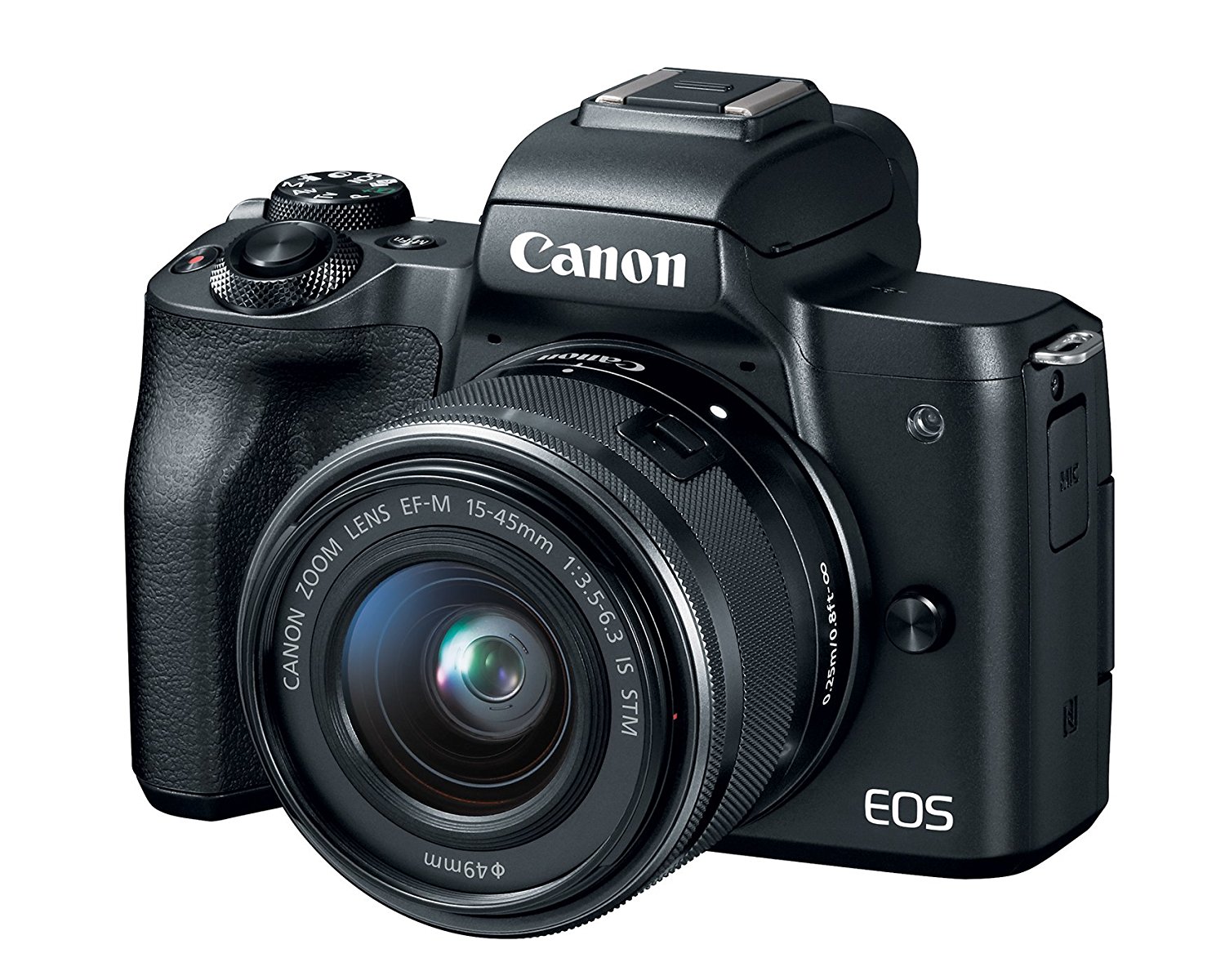
The recommend camera (see link below) has a 1.6x crop factor.  With the included 15mm-45mm kit lens, you can set it to 15mm, which will yield a window of 24′ by 16′ when the camera is 16′ away from the rug.

15mm should be plenty wide enough.  Calculator: http://www.tawbaware.com/maxlyons/calc.htm

You can even shoot at 17mm (to avoid edge distortions):  (everything same as the above calculation, except at 17mm to get a tad better quality and reduce edge distortions).  You will get a window of 21′ x 14′

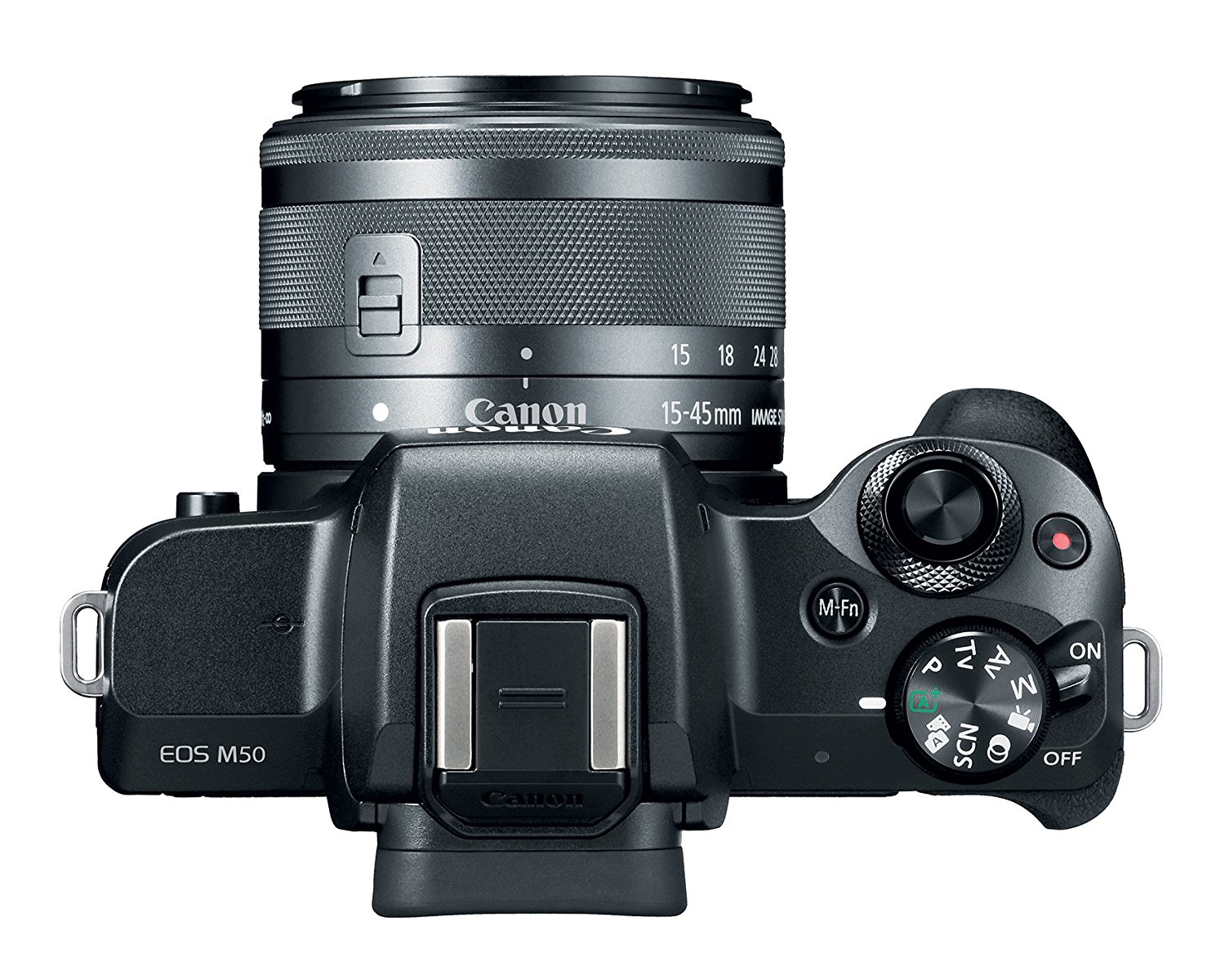
Canon M50 with included 15mm-45mm kit lens: $699
https://amzn.to/2mP2rHL

AC Adapter (this is great because you can unplug the camera to turn it off, and plug it to turn it on), always keeping the camera switch to ON. $14.99
https://amzn.to/2AcL8tE

You need a long MicroUSB cable. (or use a MicroUSB cable + extensions). Here’s a nice cable that’s 25ft: $14.99
https://amzn.to/2uS23fP

You’ll want something like this to mount the camera to the ceiling: $6.69
https://amzn.to/2uS9OlP

NOTE: Camera will save the files directly to the computer even w/out a memory card. So you don’t need a memory card.

Lastly, you may want some of these nails to run the cable along the ceiling and walls: $4.85

https://amzn.to/2AlrZG3

  • « Go to Previous Page
  • Go to page 1
  • Interim pages omitted …
  • Go to page 799
  • Go to page 800
  • Go to page 801
  • Go to page 802
  • Go to page 803
  • Go to Next Page »

Affiliate Disclosure

As an Amazon Associate I earn from qualifying purchases.

Contact / Follow Me!

  • Email
  • Facebook
  • Instagram
  • Twitter
  • YouTube

Most Popular Posts:

  • Best Camera Straps!
  • Best Vlogging Camera of 2022!
  • Valentine’s Gift For Her!
  • Best Massage Canes

Recent Posts

  • Get the Ultimate Softness with Quilted Northern Ultra Plush!
  • The Ultimate Guide to Using Eufy 2K Pet Camera for Pet Monitoring
  • UBeesize Magnetic Tripod for iPhone with Remote, 64’’ Extendable Phone Stand for Video Recording/Vlogging, N52 Strong Holder for iPhone 12-17/Android, Portable Travel Selfie Stick Tripod(Black)
  • Anker SOLIX EverFrost 2 40L Cooler, 42 qt Car Refrigerator, Electric Cooler with 288Wh Battery, Powered by AC/DC or Solar, for Camping, Travel, and Fishing, -4℉ to 68℉ (Only 1 Battery Included)
  • Govee Permanent Outdoor Lights 2, 100ft RGBIC Outdoor Lights with 72 LED Lights, IP67 Waterproof, 100 Scene Modes with 40lm White for Christmas Decorations, Works with Alexa, Google Assistant, White
  • Fanttik NEX E1 3.7V Mini Electric Screwdriver Precision Screwdriver, 12 Bits, 0.2N.m Torque Setting, Max. 3 N.m, Magnetic Storage, 5/32”Hex, Repair Tool Set for Phone Camera Laptop Watch
  • Fanttik D12 PLUS Laser Level Self Leveling 3 × 360°, 3D Green Cross Line, 5200 mAh Battery Rechargeable, Pulse Mode, Magnetic Bracket, Carrying Case, for Construction and Picture Hanging
  • Bedsure 100% Cotton Blanket Queen Size for Bed – Waffle Weave Fall Blanket, Lightweight and Breathable Soft Woven Blanket for Summer, Grey, 90×90 Inches
  • Zeta C6 Pro Max Instant Cabin Tent 6 Person Camping Tent Setup in 60 Seconds with Rainfly & Windproof Portable Tent with Carry Bag for Family Camping & Hiking, Upgraded Tent
  • Camping Tent 4/6/8/10 Person Instant Cabin Tent Setup in 60s with Rainfly & Windproof Portable Tent with Carry Bag for Family Camping & Hiking, Upgraded Ventilation
  • Fanttik V9 Mate Car Vacuum, 13000Pa High Power Cordless Vacuum, 2-Hour Fast Charge, LED Display&LED Light, RobustClean™ Portable Hand Vacuum for Car Rechargeable, Car Accessories Gift for Women Men
  • Fanttik T1 Max Soldering Iron Kit, Cordless Soldering Iron, 7 Seconds Fast Heating(390°F-840℉), Auto Sleep, 4 Precision Soldering Tips(C210), 360° Swivel Stand, Soldering Iron for Precision Repair
  • Fanttik X5 Max MANUAL HAND TOOL
  • Fanttik T1 Max Soldering Iron Kit
  • Zeta C6 Pro Max Instant Cabin Tent 6 Person Camping Tent Setup in 60 Seconds with Rainfly & Windproof Portable Tent with Carry Bag for Family Camping & Hiking, Upgraded Tent
  • Fanttik T8 APEX 2000 Amp Jump Starter, 20000mAh Car Battery Pack for Up to 8.5L Gasoline and 6L Diesel Engines with LED Display, 65W PD Fast Charger,12V Extreme Safe Lithium Portable Jump Starter
  • Plugable USB C Portable Monitor 15.6 Inch, 100W Pass-Through Charging for Your Laptop Smartphone Tablet, 3x USB-C 10Gbps Hub FHD 1920×1080 IPS Travel Display 1.85lbs, Protective Case/Stand, USBC-PDMON
  • Bundle of Bissell Little Green Pet Deluxe Portable Carpet Cleaner and Car/Auto Detailer, 3353, Gray/Blue + Bissell® Little Green® Spot & Stain Formula for Portable Carpet Cleaners, 2038G
  • Fanttik Slim V8 Apex Car Vacuum, 19000PA High Power, 4 in 1 Portable Mini Vacuum, 2.5H Type-C Fast Charge, Up to 40 Mins Runtime, RobustClean Handheld Vacuum for Car, Home, Keyboard Cleaning, Black
  • Anker Easy Fit HD Screen Protector, for iPhone 16 Pro Screen Protector, Ultra-Durable and Thin ShieldX Protection, Dust-and Fingerprint-Free with Extended Coverage, Fast and Easy Installation, 6.3-Inch for iPhone 16 Pro (2-Pack)

About Me

I’m a Software Developer, Mechanical Engineer, Photographer, and Tech Lover!

Thanks For Reading!
-David Nguyen

What is UTECHPIA?

A place where I can review, compare, and rank the latest tech gadgets.  I do lots of unboxing and reviews; some with unusual high energy for your entertainment!

Affiliate Disclosure

As an Amazon Associate I earn from qualifying purchases.

Copyright © 2026 · YouTube.com/UTECHPIA